Is Snapchat Safe for Teens? A Parent's Guide to Risks and Safety Settings in 2026
Since Snapchat was named to NCOSE’s 2026 Dirty Dozen List, we’ve updated this article to reflect the latest safety concerns as a guide for parents. Any social media app with private messaging poses a serious risk of teen exposure to porn, predators, and sextortion.
Law enforcement officers are also sounding the alarm.
“We’re seeing exploitation in relation to children all across the age spectrum,” said Det. Jeremy Dann of London police’s Internet Child Exploitation (ICE) Unit. “Generally, it’s on social media apps and chat rooms…” - CBC.CA News
Two recent stories of online predators reveal a tragic pattern being repeated all over the globe.
“He was charged with more than 30 sexual assault offences dating back to 2018. A few weeks later, London police’s ICE Unit arrested a 44-year-old man from Scarborough in suburban Toronto for allegedly luring teens under age 16.
Although unrelated, in both cases, Snapchat was allegedly used to communicate with young people.**” - cbc.ca/news/
If you’re doing your diligent detective work on Snapchat safety for teens, we’re here to help with the basics!
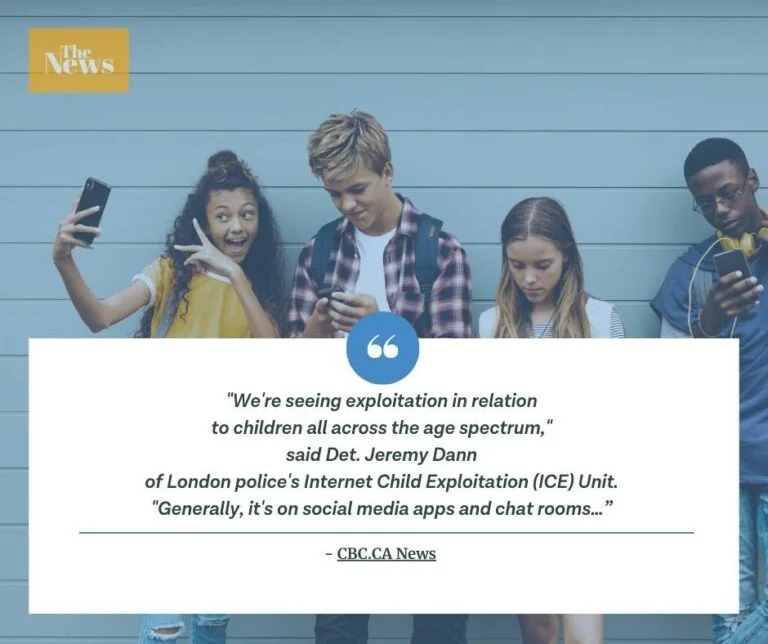
Table of Contents
- A Parent’s Guide to Snapchat Safety for Teens
- How to Use Snapchat
- The Danger Parents Miss: Snapchat’s My AI Chatbot
- Top Parent Tips for Snapchat Safety
- Getting Social Safely on Snapchat
- Frequently Asked Questions About Snapchat and Teen Safety
A Parent’s Guide to Snapchat Safety for Teens
Already know what a “streak” is on Snapchat? Then Snapchat might already be one of your go-to communication apps! However, we’ve included links to Snapchat’s updated safety tips for parents below.
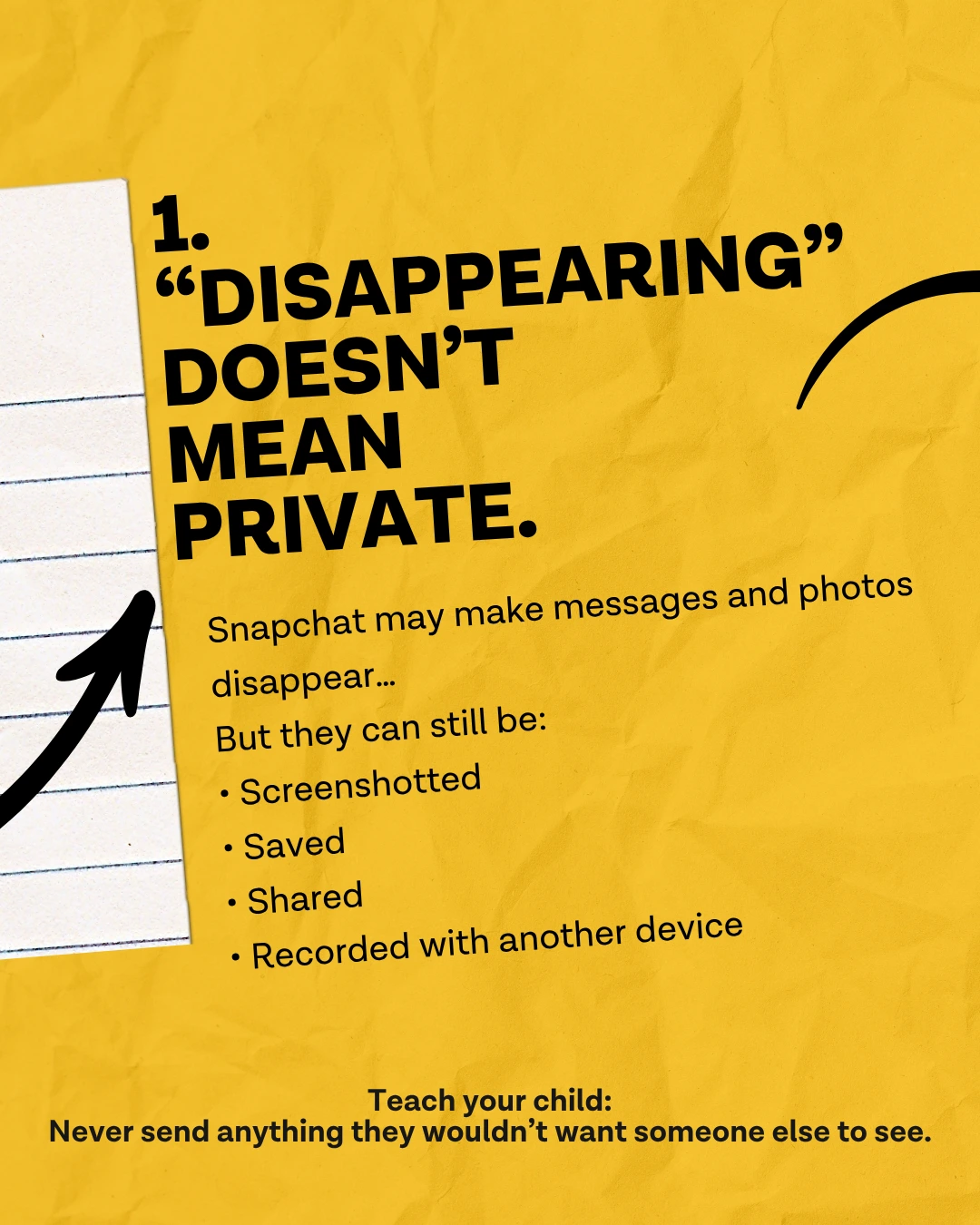
For the beginners, here are the basics. Snapchat’s unique claim to fame is allowing users to share photos, videos, and messages that disappear after being viewed.
However, this “disappearing act” in 24 hours could lull a user into a false sense of online safety. We’ll get to that in the set-up details.
Being concerned and proactive about your child’s safety using any social media app is good digital-parenting. One of the first things you’ll want to decide as parents is at what age you’d consider it appropriate to use Snapchat.
Snapchat Is Officially For Teens
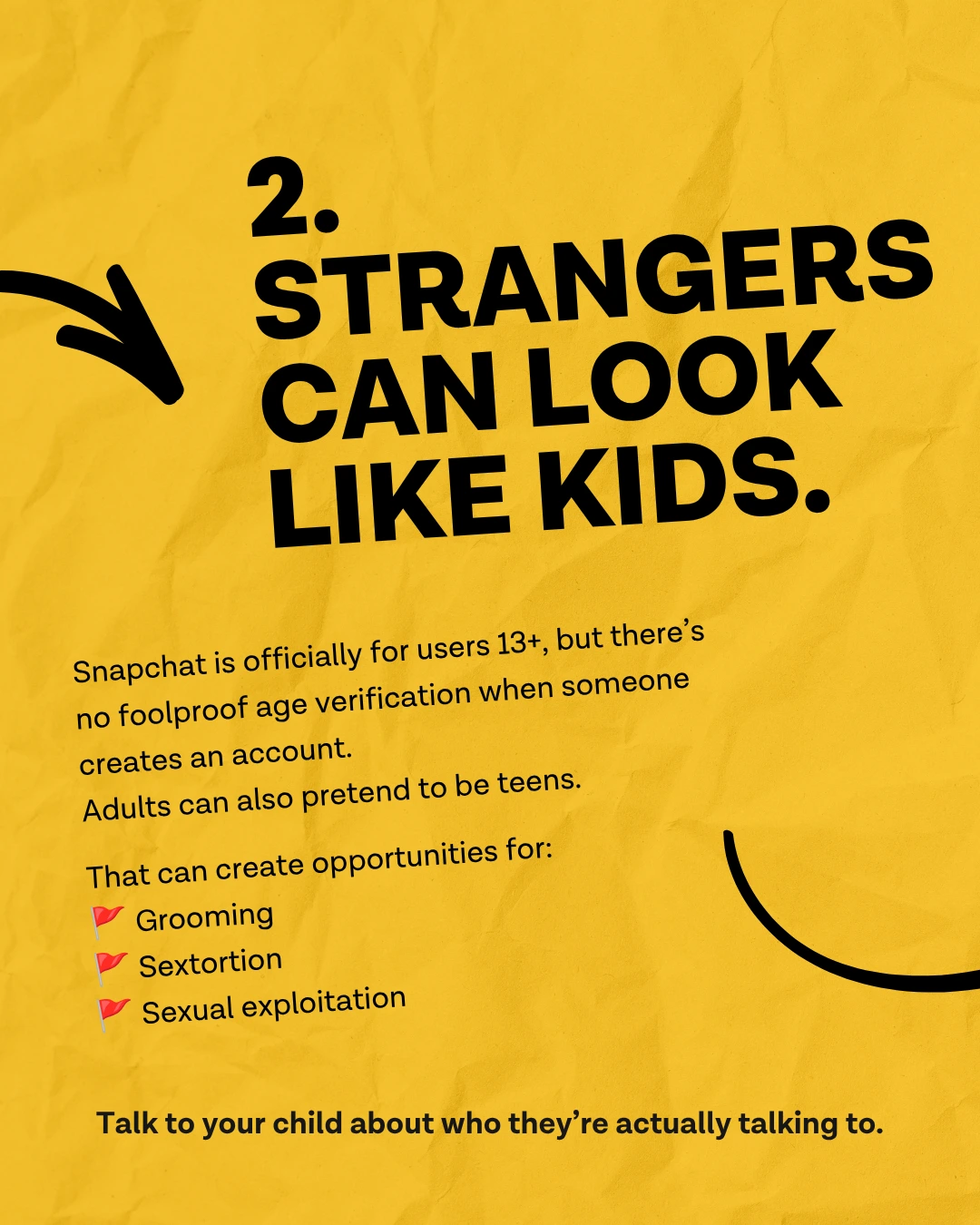
According to Snapchat’s terms of service, users must be at least 13 years old to create an account. This complies with the Children’s Online Privacy Protection Act (COPPA), which sets guidelines for online privacy and protection of children under the age of 13. Even though Snapchat is rated for ages 13+, Common Sense Media, Bark, and NCOSE all recommend age 16+ due the safety issues we’ll share.
Though Snapchat has an age limit of 13, there’s still no way to verify a user’s age when they sign up. Unfortunately, many younger children are using the app without their parents’ knowledge or consent. Snap’s own senior officials admitted this to the UK Parliament. Snapchat does prevent existing teen accounts from self-upgrading their age to 18+, but nothing stops an 8-year-old from signing up as a 13-year-old in the first place.
Australia showed the world how Snapchat could improve child safety settings for U.S. app users (but hasn’t)
In a bold move, Australia passed their Online Safety Amendment Act in 2024. It’s the first law of its kind in the world, banning children under 16 from holding accounts on platforms including Snapchat, TikTok, and Instagram.
These social media platforms, not the parents or children, are responsible to take reasonable steps to prevent children under 16 from having social media accounts. Fines of up to $49.5 million can be imposed for non-compliance. In late 2025, enforcement of these laws began. So Snapchat built systems to comply, proving that technology to verify and restrict underage users exists. They simply have not bothered to enact these safety steps yet on US platforms.
Even worse, adults set up Snapchat and pretend to be a teen. That’s where much of the secret sextortion dangers on Snapchat exist. The state of New Mexico currently has a lawsuit against Snapchat for failing to warn parents and users of this danger.
Sextortion and Predator Risks in Snapchat
- Thorn reported in June 2025: Snapchat is now the #1 social media platform identified by sextortion victims. At least 36 teen boys have taken their lives since 2021 due to sextortion.
- Social Media Victims Law Center (Missouri 2026) alleges Snapchat’s Find Friends and Snap Map features allowed a predator to find, groom, and rape a 12-year-old Missouri girl. This case is in active litigation. (Source: CNN, June 24, 2026)
- Bark Annual Report 2025: Snapchat is the #1 app flagged for grooming and #1 for risky contacts.
“Snapchat has the ability to stop the creation and sharing of self-generated child sexual abuse material and adult image-based sexual abuse on its platform. But it chooses not to. This is a design choice.” - Haley McNamara, NCOSE Executive Director
Yale Medicine notes that in 2023 the U.S Surgeon General Murthy released an advisory on how social media is harming the mental health of young people.
We also hear the stories of teens hooked on porn - a danger we’re seeing inside apps such as Instagram, Twitter, and TikTok. Sadly, even children’s cartoons on YouTube have been targeted by the porn industry.
“I did that with Snapchat. I set up an account, pretending to be 15. Then I just went to the Discover feed, where it pushes content to you based on your age,” she explains. Within seconds, sexualized content and vulgar images appeared, she says. “And I thought, ‘No, this is not appropriate for a 15-year-old.” - Emily Cherkin, (“So your tween wants a smartphone? Read this first” - NPR.org)
Whatever your decision, let’s look at helpful Snapchat safety tips for setting up the app. Plus, we’ll highlight a few danger zones on Snapchat.
How to Use Snapchat
Here’s a pro parent tip: learn how to set up and use Snapchat yourself – ideally, before you allow your child to use Snapchat. That way, you can get the jump on safety settings. Possibly even enlist your teen to help you set up your own Snapchat account first!
Bonus! You’ll learn to enjoy your teens in the high-tech world they face. In fact, some younger teens borrow their parent’s phones to use Snapchat in a safe and very monitored setting. (Another reason to ensure you’re using our accountability app on every device.)

Snapchat basic set-up steps:
-
Download the app. Snapchat is available for iOS and Android devices and can be downloaded from the App Store or Google Play.
-
Create an account. To create a Snapchat account, you will need to provide your email address and create a password. Protect your Snapchat account by using a strong, unique password and enabling two-factor authentication. This will help keep your account secure and prevent unauthorized access.
-
Keep your account private.
-
Key safety hint: Don’t ever use your REAL name. You will also be asked to provide a username that will be visible to other Snapchat users.
-
DON’T CONNECT WITH STRANGERS ON THE INTERNET.
-
Add friends. You can add friends on Snapchat by searching for their username or by scanning their unique Snapchat code. You can also connect with friends from your phone’s contacts list.
-
Take a photo or video. To take a photo or video on Snapchat, simply tap the camera icon on the main screen. You can also swipe left or right to access different camera modes.
-
Apply filters and lenses. Snapchat offers a variety of filters and lenses that you can use to enhance your photos and videos. To access these features, swipe left or right after taking a photo or video.
-
Send your photos or videos to a friend. Congratulations! You’ve just “Snap-chatted” online.
The Danger Parents Miss: Snapchat’s My AI Chatbot
Your teen’s Snapchat friend list has a secret contact point called My AI which is Snapchat’s built-in chatbot. Every user’s chat screen has this feature, and only paid Snapchat+ account subscribers can delete the My AI chat bot. It’s documented that My AI gave unsafe and inappropriate advice to teens on how to keep their sexual activity or substance abuse secret.
These conversations don’t disappear, either, like regular Snaps. Instead, they’re stored on Snap’s servers. Parents should head over to the Family Center, which allows you to disable My AI in the settings. Since parents cannot see these potentially harmful chats through the Family Center, you should definitely disable My AI and check the settings regularly to make certain it remains disabled.
After Dark
After Dark is a newer feature that lets users post Stories exclusively between 8 PM and 5 AM, visible only to friends who also post during that window. It operates under the same moderation as the rest of the platform during the hours when parents are least likely to be watching. There is no dedicated parental control for After Dark. Family Center’s screen time view shows you how much time your teen spends in the app and which features they use, but it only reports that activity — it does not let you set limits or block late-night access. Use it to see whether After Dark is part of their routine, then have the conversation. If you want a limit that’s actually enforced, set it at the device level with Screen Time on iOS or Digital Wellbeing on Android, or better yet, collect cell phones at bedtime.
Top Parent Tips for Snapchat Safety

If you’re ready to allow Snapchat, don’t miss your golden window of opportunity to talk with your teen before they ever set up the app. You can use this article as a guide to talk about the real dangers of Snapchat. Discuss how it works and what your family’s rules will be. When your teen feels informed and respected, they’re far more likely to come to you when something goes wrong.
Important Snapchat safety guidelines and boundaries to discuss:
- How much time they can spend on the app
- What type of content is appropriate to share
- Who they can add as a friend
- Not using their real name on Snapchat
- Not disclosing their location
- What online grooming looks like
- Why cyberbullying and sexting are so harmful
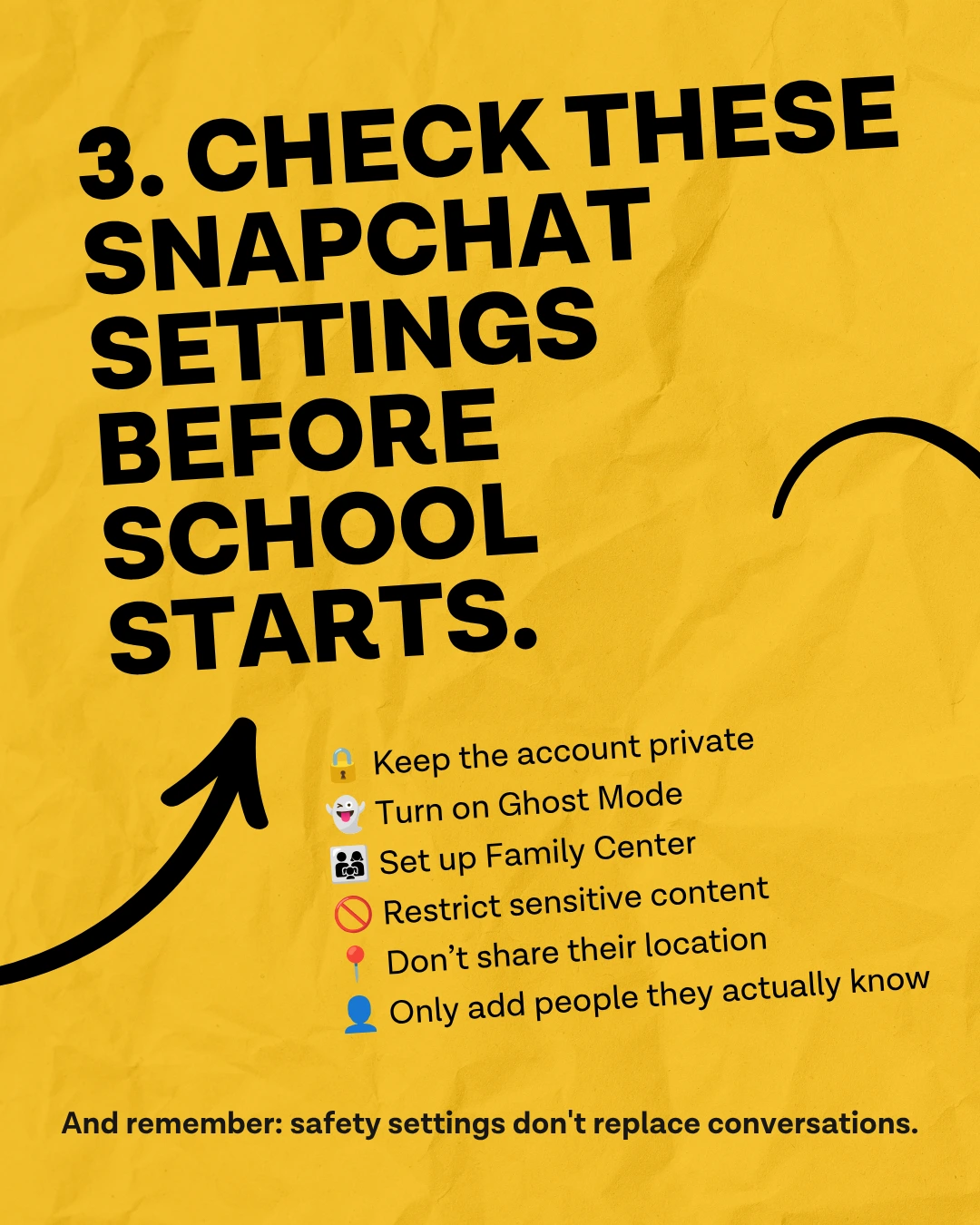
Snapchat Safety Setup With Your Teen — Step by Step
Work through these with your teen by your side, not for them. Doing it together means they understand why each setting matters and are more likely to maintain it.
- Confirm the privacy settings. Snapchat has no single “private account” switch. Privacy is set through individual controls, so you need to check each one. Go to Settings, then Privacy Controls, and confirm three things: Contact Me is set to “Friends” rather than “Friends and Contacts,” since the second option lets anyone in your teen’s phone contacts message them, View My Story is set to “My Friends” (or a custom list) rather than Everyone, and See My Location is set to “Only Me.” Teen accounts start with these defaults, but your job is to verify they haven’t been changed.
- Set up Family Center. Both parent and teen need to open Snapchat and navigate to Settings, then Family Center. The parent sends an invitation link to the teen’s account to connect them. Once linked, you’ll be able to see your teen’s friend list, recent contacts, screen time by feature, and trust signals for new connections.
- Disable My AI inside the Family Center. Inside Family Center, go to your teen’s settings and turn off My AI access. If your teen is under 18, this is not a safety step you’ll want to skip. (See The Danger Parents Miss: Snapchat’s My AI Chatbot above.)
- Restrict Sensitive Content inside Family Center. The Family Center lets you control whether sensitive content is filtered for your teen. Turn this on. Note: this filters content in the Discover feed and recommendations. It does not restrict explicit content sent through private chats. That’s a separate and ongoing gap that no setting currently closes.
- Verify Ghost Mode is active and understand its limits. Snap Map location sharing is off by default for teen accounts. Your job is to verify it’s still off, not to enable it. Go to Snap Map in the app and confirm Ghost Mode is active. Then have the honest conversation: Ghost Mode does not prevent My AI from tracking location. My AI is a workaround Snapchat has not disclosed prominently to parents or teens.
- Review Find Friends settings. Find Friends (formerly Quick Add) allows Snapchat to suggest potential friends based on mutual connections, phone contacts, and other signals. You can turn off the option for your teen to appear in others’ Find Friends suggestions by going to Settings, then Privacy Controls, then “See Me in Find Friends,” and turn it off.
- Enable two-factor authentication. Go to Settings, then Two-Factor Authentication, and turn it on. This makes it harder for bad actors to take over your teen’s account. Snapchat also recommends verifying the account’s email and phone number.
- Remind your teen about the dangers of screenshots. Snapchat will notify your teen if someone screenshots a Snap they sent. But it does not cover all methods of screen capture, and it cannot un-send something once it’s been seen. The rule is simple: never send a photo or message you wouldn’t want shared publicly, ever.
- Know where to report. Go directly to NCMEC to report sextortion or predators. If your teen has already shared explicit images and they’re circulating online, NCMEC’s Take It Down service helps minors get those images removed from platforms. Save the Snapchat Safety Center link for reporting within the platform.
Be aware that internal Snapchat data from the New Mexico lawsuit revealed that 70% of sextortion victims didn’t report because they knew Snapchat wouldn’t act. Of the 30% who did report, none had their cases addressed.
If something serious happens, do not wait for Snapchat to respond. Report immediately to the National Center for Missing and Exploited Children’s CyberTipline. If your teen has already shared explicit images and they’re circulating online, NCMEC’s Take It Down service helps minors get those images removed from platforms.
Finally, we love that Snapchat released safety updates in September of 2023 to address the concerns of parents and law enforcement. More safety measures are needed!
Getting Social Safely on Snapchat
Sharing Snaps is where the fun is! Don’t be lame or boring, though. (Hello, faceless pics of ceilings and walls, so that you can keep up your 90 day streak.)
Once you have taken a photo or video and added any filters or lenses, you can share your Snap with friends. Select people on your friends list you want to send a Snap to, and then tap the send button.
Individual or group chat with friends is extremely popular on Snapchat. The group chat feature benefits some teens who enjoy Snapchat study groups with friends in real-time. To start a chat, simply swipe right on a friend’s name in your friends list.
Explore Stories as one method of keeping up with your friends’ lives. Snapchat’s Stories feature curates collections of Snaps that are visible to your friends for 24 hours. To view other people’s Stories, tap their username in your friends list.
Snapchat tells you if your Chat has been opened. Also, you can save a favorite Snap photo or chat, if you click the button to the right immediately after opening a Snap.
As a Snapchat safety feature, your friend will be notified if you save a Snap they sent. However, this does not apply to screenshots of Snaps.
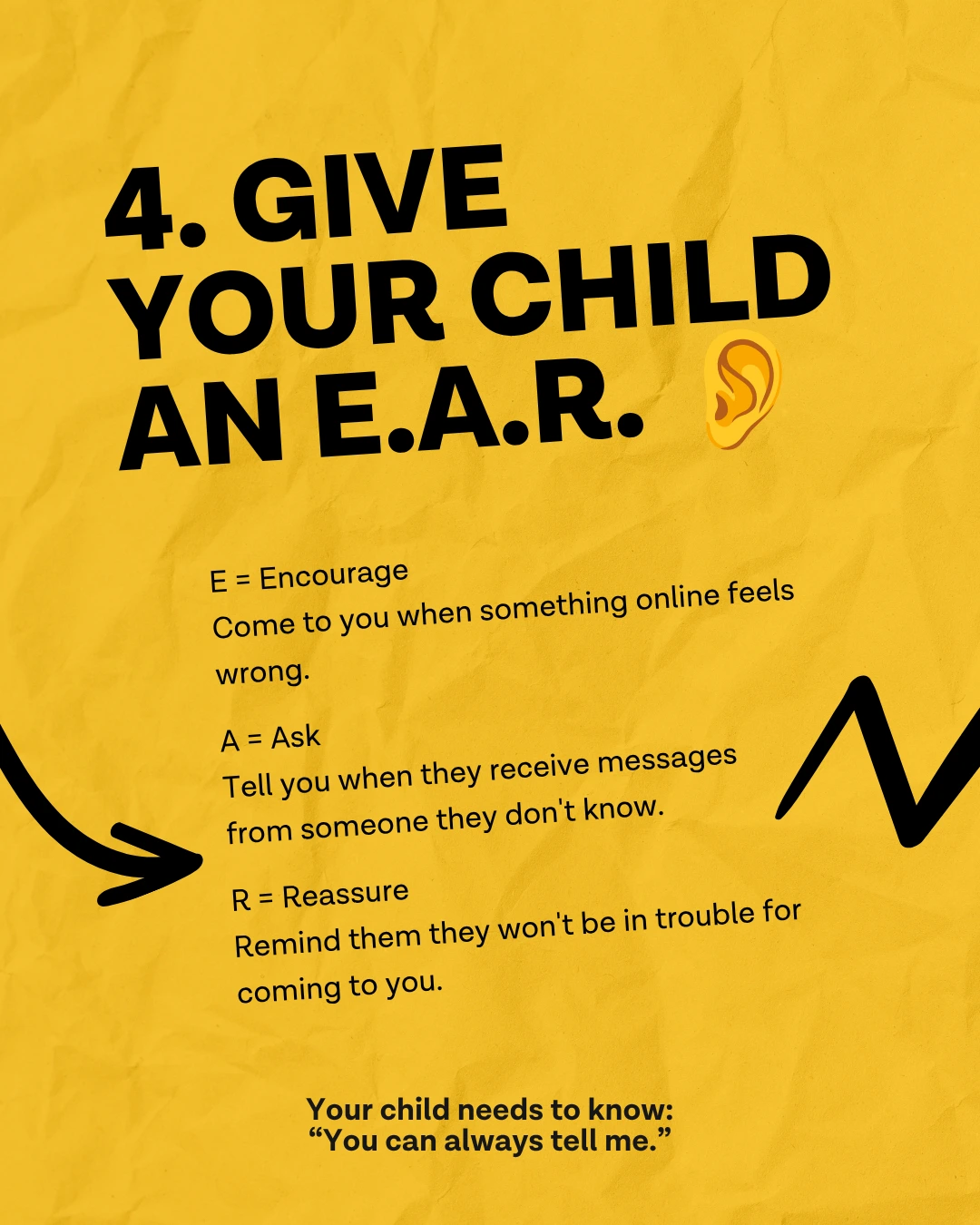
Be open and approachable: give teens an E.A.R.
Talk to your child regularly about safety on all social media platforms, especially since sextortion is rapidly growing. Following these safety tips can help your family implement Snapchat safety.
- E: Encourage your teen to come to you if they see anything on Snapchat that makes them feel uncomfortable.
- A: Ask them to share with you if they receive a message from someone they don’t know.
- R: Reassure them that they can always talk to you about any concerns they may have.
Frequently Asked Questions About Snapchat and Teen Safety
Is Snapchat safe for teens?
Snapchat carries real risks for teens: disappearing messages make grooming and sextortion harder to detect, Snap Map can share real-time location with all accepted friends, My AI can give inappropriate advice and parents cannot monitor those conversations, and the Find Friends (formerly Quick Add) feature has been cited in multiple child exploitation lawsuits. With the right settings and active parental involvement, it can be used more safely — but it is not safe by default.
What are the biggest dangers of Snapchat for teens?
The five biggest risks are: (1) disappearing messages that remove evidence of grooming or predatory contact; (2) Snap Map, which shares real-time location unless Ghost Mode is active; (3) My AI, the built-in chatbot that parents cannot monitor through Family Center; (4) sextortion — predators pressure teens into sending explicit images, then use them as blackmail; (5) NSFW content accessible to teens who enter a false age.
Does Snapchat have parental controls?
Yes, through Family Center. Parents can see their teen’s friend list, recent contacts, screen time breakdown, and trust signals for new friend connections. As of late 2025, parents can also manage certain settings including whether My AI can respond to their teen. However, parents cannot read message content — Family Center shows who your teen is talking to, not what they’re saying.
Can parents see Snapchat messages?
No. Family Center does not show message content. Parents can see who their teen has communicated with recently, but not what was said. This is why accountability software that monitors screen activity is an important complement to Snapchat’s built-in parental tools.
What is Snap Map and is it safe?
Snap Map shows a user’s real-time location to their Snapchat friends. It is off by default for teen accounts, but teens can turn it on. If a teen has accepted a friend request from someone they don’t know in person, that person can see their live GPS location. Enable Ghost Mode immediately: Snap Map > Settings > Ghost Mode.
What is Snapchat’s My AI and is it safe for teens?
My AI is Snapchat’s built-in chatbot, powered by OpenAI. It sits permanently at the top of every user’s chat list and cannot be removed without a paid subscription. It has been documented giving inappropriate advice to teen users. Parents cannot see My AI conversations through Family Center. Parents can disable My AI access for their teen through Family Center settings.
Sources: Snap Inc. (January 2024 and January 2026); Pew Research Center (December 2024); Thorn (November 2025); FBI; New Mexico DOJ (September 2024); Motley Rice (2026); Common Sense Media / Youth AI Safety Institute (2024).
We can help you with social media accountability in many popular social media apps if you use our accountability software.
Also, check out the following guides for maximizing accountability and online safety:
- iOS User’s Guide to Ever Accountable for Busy People
- Android User’s Guide to Ever Accountable for Busy People
You can also reach out to us with questions at support@everaccountable.com.
We’re here for you!
*Ever Accountable’s blog is not intended to be a substitute for professional advice, diagnosis, or therapy, though we often link to medically reviewed studies.
Works Cited
Doucleff, Michaeleen. “Your child wants a smartphone? What to know about the risks and alternatives: Shots - Health News.” NPR, 12 July 2023, https://www.npr.org/sections/health-shots/2023/07/12/1187130983/smartphone-tween-safe-alternatives. Accessed 7 November 2023.
Jargon, Julie. “Teen Boys Are Falling for a Snapchat Nude-Photo Scam. Here’s How to Avoid It.” The Wall Street Journal, https://www.wsj.com/tech/personal-tech/teen-boys-are-falling-for-a-snapchat-nude-photo-scam-heres-how-to-avoid-it-97a830c8 Accessed 30 November 2023.
“How to Stay Safe on Snapchat – Snapchat Support.” Snapchat Support, https://help.snapchat.com/hc/en-us/articles/7012304746644-How-to-Stay-Safe-on-Snapchat. Accessed 7 November 2023.
Rousay, Victoria. “VICTORY! Snapchat Makes Numerous Safety Changes in Response to Dirty Dozen List.” NCOSE, 7 September 2023, https://endsexualexploitation.org/articles/victory-snapchat-makes-numerous-safety-changes-in-response-to-dirty-dozen-list/?utm\_source=linkedin&utm\_medium=social&utm\_campaign=ncose. Accessed 7 November 2023.
Katella, Kathy. “How Social Media Affects Your Teen’s Mental Health: A Parent’s Guide.” Yale Medicine, 17 June 2024, https://www.yalemedicine.org/news/social-media-teen-mental-health-a-parents-guide. Accessed 18 August 2026.
Murthy, Vivek H. Social Media and Youth Mental Health: The U.S. Surgeon General’s Advisory. U.S. Department of Health and Human Services, 2023, https://www.hhs.gov/sites/default/files/sg-youth-mental-health-social-media-advisory.pdf. Accessed 18 August 2026.